







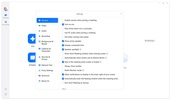


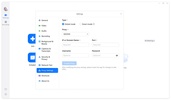

VooV Meeting is a completely free, cross-platform video conferencing app, through which you can participate in video calls with up to 100 people in attendance. The program offers a very interesting alternative to Zoom, with equivalent features and a very similar interface, thanks to which you will be able to start using this desktop client in a matter of seconds.
Create your account in under a minute
To use VooV Meeting, you'll first need to register. Fortunately, this process can be completed in less than a minute by using social login with any of the allowed platforms, including Google, Facebook, or WeChat. Once you've identified yourself, you will have access to all the features offered by the free subscription: a maximum of 100 people in a meeting, a 60-minute limit for video calls, and 1 GB of cloud storage for recordings. The PRO subscription, on the other hand, will allow you to host meetings of up to 24 consecutive hours and will give you 10 GB of cloud storage.
The most convenient way to organize meetings
Although you can use VooV Meeting to make ordinary video calls in which you can even use beauty filters or send emojis and stickers, the app's main goal is to create a comfortable and productive workspace. Creating a meeting room and sharing it with your colleagues is extremely easy. Joining other colleagues' meetings is just as easy, as is sharing your screen or creating a collaborative whiteboard. VooV Meeting features all the functionalities you would expect from an app specifically designed for the workplace.
My experience with VooV Meeting
For years now, the company where I work (for which I am writing this review, by the way) has been using Zoom for all its online meetings. Because of this, I already knew how this program worked. As soon as I started testing VooV Meeting, I realized that this app is designed so that anyone who has already used Zoom instantly knows how to use it. Of course, when it comes to its features and performance, it's also very well-equipped.
The best and worst of VooV Meeting
• What I like most about VooV Meeting is that it's an incredibly easy-to-use app. You can install it and join a video call, all in less than two minutes. And that's saying a lot.
• What I like least about VooV Meeting is that it really is very, very similar to Zoom. And unfortunately, the Zoom PRO subscription is slightly cheaper.
An excellent app for video conferencing
Download VooV Meeting if you're looking for a video conferencing app with a professional touch that you can use both to manage a small work team and for larger work environments. Best of all, thanks to its cross-platform nature, no matter what device or operating system others are using, you will all be able to participate together in the same room.
VooV Meeting is for you if
✓ You need free, cross-platform video meetings with up to 100 participants
✓ You value easy teamwork with screen sharing and collaborative whiteboards
✓ You prefer familiar meeting tools, with cloud recording included in the free plan
























Comments
There are no opinions about VooV Meeting yet. Be the first! Comment