






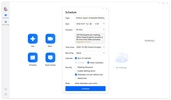

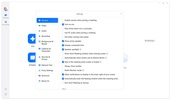
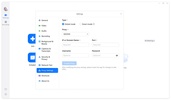

VooV Meeting is a free video conferencing app that allows you to host virtual meetings with up to 100 participants. Its interface and tools are very similiar to those of Zoom, so if you're already familiar with this software, you will have no problem getting started. Furthermore, as it's a cross-platform tool, you will be able to set up meetings with other users regardless of which operating system they use.
All the tools you need for working in teams
The main attraction of VooV Meeting is its ability to facilitate communication between coworkers. The program allows you to create meeting rooms, share invitations, and access video calls hosted by other users. During the sessions, you will also have the option to share your screen or use a collaborative whiteboard to develop ideas as a group. Or, if you're looking for a more casual conversation, you'll find beauty filters, emojis, and stickers to give your video calls a special touch.
Free meetings for up to one hour
With the free version of VooV Meeting, you will be able to host meetings of up to 100 participants with a maximum duration of 60 minutes. You will also have 1 GB of cloud storage to save recordings of your video calls. If you need to organize longer sessions, the PRO subscription extends the duration limit up to 24 hours and increases the available cloud storage up to 10 GB. Based on these differences, you can find the best plan for your needs.
Sign up and start scheduling video calls
Before accessing VooV Meeting's features, you will need to create a user account. The registration process is pretty fast, as you can log in with your Google, Facebook, or WeChat account. In less than a minute, you can have your account ready to go and start using the program. Once inside, you will find an interface very similar to Zoom's, with the main communication and meeting management tools easily accessible.
My experience with VooV Meeting
The first thing that caught my attention when trying VooV Meeting was how familiar its interface felt to me. At the company where I work, we have been using Zoom for our meetings for years, so I already know how it works. Because of my previous experience, I hardly needed any time to get used to the program. I was also surprised to find so many tools available, as virtually all the features I regularly use on Zoom were also included here. Given that, I would consider this program a comprehensive alternative.
The best and worst of VooV Meeting
• What I like most about VooV Meeting is that you don't need to spend much time learning how it works. After installing the program, you can join your first meeting in less than two minutes, something I especially appreciate from a work tool.
• What I like least about VooV Meeting is that I would need to find more differences between it and Zoom in order to justify switching programs. Both offer a very similar experience, but Zoom's PRO subscription is slightly less expensive.
If you need to coordinate online meetings with teams of different sizes, download VooV Meeting for Mac to access an excellent videoconferencing software with collaboration, recording, and communication tools. The free version is particularly interesting for those who regularly organize work meetings less than an hour long.
VooV Meeting is for you if
✓ You need free video meetings for up to 100 participants, lasting up to 60 minutes
✓ You rely on cross-platform calls, screen sharing, and collaborative whiteboards to work together
✓ You value cloud recording storage, with 1 GB free and expanded options through PRO

















Comments
There are no opinions about VooV Meeting yet. Be the first! Comment